


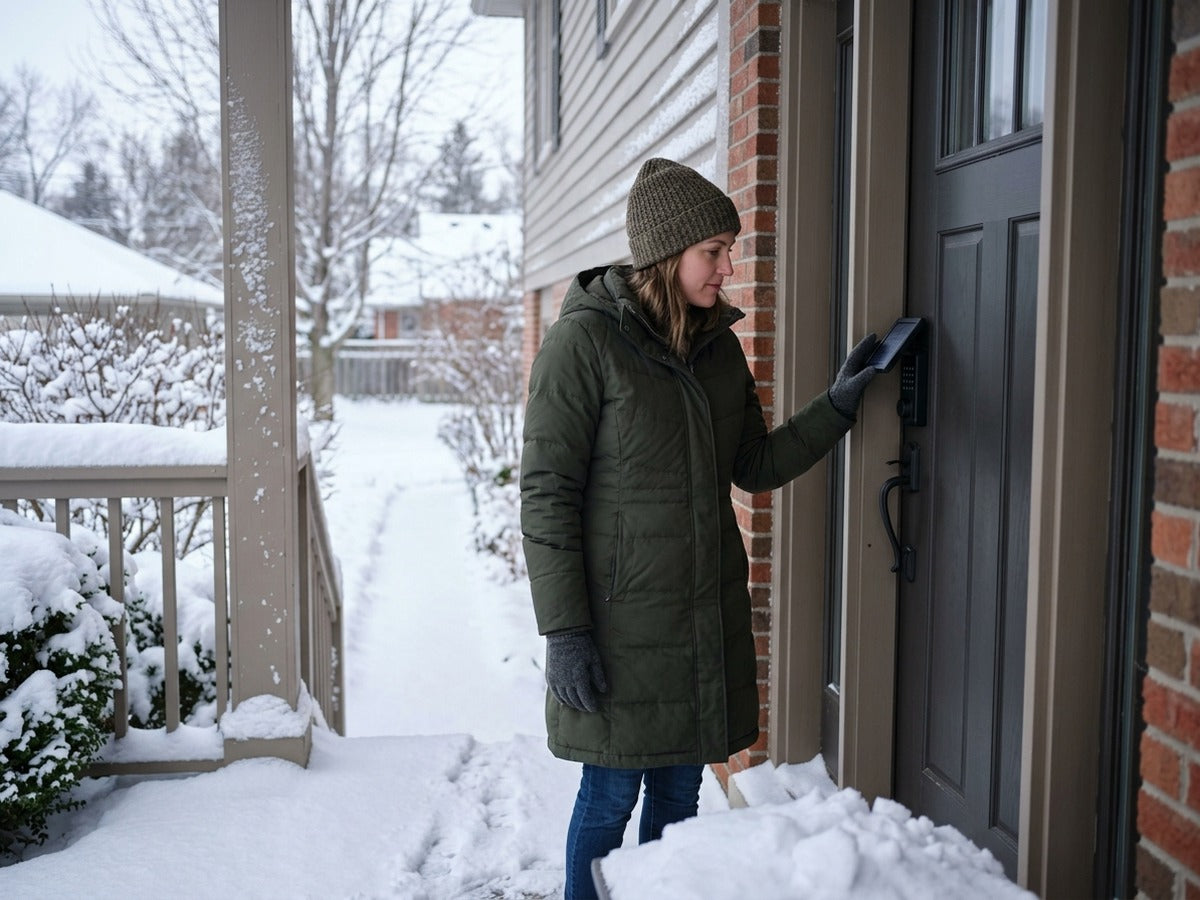
Use a winter installation check rather than a blanket suitability claim: confirm the exact model's temperature limits, permitted exposure, unobstructed door movement, charging conditions, and reliable backup entry before relying on it in snow. Solar-assisted charging is not battery-free operation: it can help reduce routine manual charging, but winter shade, short days, snow cover, and household usage still matter. For homeowners and renters, the real question is not whether sunlight exists in winter. It is whether your specific door gets enough usable light often enough to support a solar-assisted lock through normal use.
Cold-weather performance is also affected by ordinary door conditions. A smart lock cannot fully compensate for a deadbolt that binds, a door that shifts seasonally, or hardware that is frozen in place. Before choosing any smart lock for a snowy climate, look at the whole entryway: sunlight, weather exposure, door alignment, snow buildup, and how often your household uses the lock.
Can a Solar Smart Lock Work Through Winter?
A good winter fit usually has three conditions:
- Usable daylight reaches the lock area. A front door, side door, townhouse main entrance, or covered porch can be suitable if the solar surface still receives sufficient daylight.
- The lock has an internal rechargeable battery. Solar self-charging supports the battery; it does not replace the need for stored power.
- Backup access is planned before bad weather arrives. If the battery becomes critically low, you should know how emergency power and mechanical backup entry work for the model you choose.
Lockin Veno Solar Palm and Veno Solar Face are relevant residential options because they use ABX3™ Perovskite Solar Self-Charging and include an internal rechargeable battery with USB-C emergency power, according to Lockin product information. That makes them solar-assisted smart locks, not locks that operate without battery care.

How Cold, Snow, and Ice Can Affect Smart Locks
Winter can affect smart locks in several practical ways. These are general cold-weather considerations for exterior door hardware, not a claim that every lock will fail in winter. Low temperatures can affect battery behavior. Rechargeable batteries can behave differently in cold weather than in mild indoor conditions. A solar-assisted lock still depends on stored battery power, so winter battery awareness remains important.
Snow can block the solar area. If snow covers the exterior lock face or solar surface, less light reaches the charging area. Even if the day is bright, a covered panel cannot receive the same exposure as a clear one.
Ice can interfere with moving hardware. Frozen moisture around a door, latch, or deadbolt can make the lock feel stiff. Forcing a stuck deadbolt can damage door hardware or create a lockout risk. Moisture and freeze-thaw cycles can make entryways less predictable. Snow, rain, condensation, and refreezing can affect the door area. Buyers should check the lock’s current product documentation for weather-related ratings and installation guidance rather than assuming any smart lock is waterproof or snowproof.
Door alignment can change seasonally. Wood doors, frames, and weatherstripping can shift as temperature and humidity change. If the bolt rubs against the strike plate, the motor may have to work harder or may not complete the locking motion smoothly. For a winter-prone home, the most useful test is simple: before installing any smart lock, close the door normally and turn the deadbolt by hand. If it does not move smoothly, fix the alignment first.
What Solar-Assisted Charging Does and Does Not Mean
Solar-assisted charging means the lock uses available light to help replenish its internal rechargeable battery. For Lockin Veno Solar Palm and Veno Solar Face, the relevant technology is ABX3™ Perovskite Solar Self-Charging.
Solar assistance remains dependent on the installation because a homeowner with a bright, south-facing front door may have a very different experience from a renter with a shaded apartment entry, a deep porch roof, or a north-facing door that receives little direct winter light. If you are comparing a solar smart lock with a conventional battery-powered smart lock, think of solar as a helpful charging layer. A conventional battery smart lock depends entirely on scheduled battery replacement or charging. A solar-assisted lock can reduce that burden when placement is favorable, but it still depends on stored power and sensible winter maintenance.
- The lock can use available light as a charging source.
- Solar input can reduce how often you manually charge under suitable conditions.
- Charging depends on available light, placement, season, battery state, and how the household uses the lock.
- Low-light charging is referenced in product materials, but real-world results still depend on the entryway.
- It does not mean the lock has no battery.
- It does not mean the lock can ignore winter shade, snow cover, or short days.
- It does not mean every doorway will receive enough light.
- It does not mean backup power planning is unnecessary.
What Happens Without Enough Sunlight?
When there is not enough sunlight, a solar-assisted smart lock relies on its internal rechargeable battery. This is normal: the battery is what powers the lock at night, during cloudy weather, when the door is shaded, and when snow blocks the solar area. For Lockin Veno Solar Palm and Veno Solar Face, Lockin product information includes USB-C emergency power. That is important for critically low battery situations because it gives the user a backup power path. Product context also indicates mechanical-key access is available, with the keyhole located behind the solar panel and accessed by releasing the panel. Buyers should review the current user instructions before relying on this in an emergency.
A practical winter habit is to check battery status or app indicators when available, especially before travel, storms, or extended cold periods. Do not wait until the lock is already critically low to learn where the emergency power port or mechanical key access is located.
- Nighttime use
- Short winter days
- Heavy cloud cover
- Snow sitting on the solar surface
- A covered porch that blocks direct light
- Trees, neighboring buildings, or deep overhangs
- North-facing doors in winter climates

Winter Maintenance Tips for Homeowners and Renters
Winter maintenance for a solar smart lock is mostly about keeping the entryway usable and the solar surface exposed. These are general homeowner and renter tips, not a substitute for the current Lockin user manual or installation guide. Renters should be especially careful. Before replacing or modifying a door lock, check your lease terms and get landlord permission. Some rental units, condos, and apartment entries may have restrictions on lock replacement, door drilling, key control, or exterior appearance.
- Clear snow from the exterior lock area. If snow covers the solar surface, gently clear it so light can reach the charging area.
- Keep the door and deadbolt aligned. The bolt should extend and retract smoothly without needing to lift, push, or pull the door.
- Avoid forcing frozen hardware. If the deadbolt is stuck because of ice or door movement, address the physical obstruction rather than forcing the lock.
- Check battery status when available. If the app or lock interface provides battery information, use it as part of your winter routine.
- Keep backup access ready. Know where your USB-C emergency power option is, and keep any mechanical key accessible to a trusted household member.
- Review weather exposure. If your door gets wind-driven snow, freezing rain, or heavy moisture, check the current product documentation for weather-rating details and installation limitations.
- Plan before vacations. If you will be away during a cold spell, confirm the door is aligned, the lock is charged, and backup access is available.
How Lockin Veno Solar Palm and Veno Solar Face Fit This Use Case
Lockin Veno Solar Palm and Veno Solar Face are the Lockin models most relevant to a homeowner or renter planning a winter installation. Before purchase, check exposure to ice, free door movement, backup power, and the manufacturer's temperature limits for the relevant components. An IP rating alone does not establish resistance to freezing or dependable operation through an entire winter. Those details matter in winter because the same lock can have a different real-world experience on a sheltered front porch, an exposed side door, or a shaded rental entry. It is also worth distinguishing the built-in solar feature on Veno Solar Palm and Veno Solar Face from the Lockin Veno Series Solar Panel, which is a separate accessory for other Veno models such as Veno Pro and Veno Plus. Do not assume accessory details apply to the built-in solar design unless current Lockin documentation says so.
Veno Solar Palm is positioned around Venokey™ Palm Vein Unlock and ABX3™ Perovskite Solar Self-Charging. It is a fit to evaluate if you want a biometric access method based on Palm Vein Recognition and prefer a lock that uses available light to support its rechargeable battery.
Veno Solar Face is positioned around 3D Face Recognition Unlock and ABX3™ Perovskite Solar Self-Charging. It is a fit to evaluate if face-based entry is important for your household and the door has enough light exposure for a solar-assisted model to make sense.
- ABX3™ Perovskite Solar Self-Charging
- Internal rechargeable battery
- USB-C emergency power
- Multiple unlock methods
- Built-in Wi‑Fi/no hub
- Matter compatibility
- Auto-Lock
The no-hub description applies to native Wi-Fi operation. The Solar manual separately requires an operational Matter-over-Thread certified hub for Apple Home or SmartThings integration; confirm that setup before buying for a household that depends on it.
Buyer Checklist Before Choosing a Solar Smart Lock
Use the checklist to decide whether this doorway is suitable before comparing access methods. For Veno Solar Palm and Solar Face, exclude storm-door installations and entries without daylight. For an eligible doorway, record winter exposure, check free bolt movement and prepare backup entry. If those checks fail, resolve the installation constraint before choosing a model.
- Daylight exposure: Does the door receive usable daylight in winter, or is it shaded most of the day?
- Snow buildup: Does snow collect on the door face, handle area, or lock surface?
- Porch coverage: Does a roof protect the lock from weather while still allowing daylight to reach it?
- Door direction: Is the door north-facing or blocked by trees, walls, or nearby buildings?
- Door alignment: Does the deadbolt move smoothly by hand in cold weather?
- Household usage: How many people use the door daily, and how often will the lock be activated?
- Access methods: Do you prefer Palm Vein Recognition, 3D Face Recognition, PIN, app access, mechanical backup, or a mix of methods?
- Backup power: Do you know how USB-C emergency power works for the model?
- Mechanical backup: Do you know where the key access point is and who will keep the key?
- Rental approval: If you rent, have you checked lease rules and landlord permission?
- Smart home fit: Do you need Built-in Wi‑Fi/no hub, Matter compatibility, or Auto-Lock?
- Current documentation: Have you verified the latest weather rating, temperature rating, compatibility, and installation guidance?
What should I check before buying for a cold, snowy home?
Check winter daylight, snow buildup, porch coverage, door alignment, backup power, mechanical backup access, and the current product documentation. For Lockin Veno Solar Palm and Veno Solar Face, also compare whether Palm Vein Recognition or 3D Face Recognition better fits your household’s preferred access style.